


The LifeStarr App
The tool to run a
Life-First Business
Track both sides of every commitment you make, even with the people who never sign in.
LifeStarr is the Commitment Control System that tracks everything you're doing, and everything others are doing for you, even the ones who never sign in. Far fewer dropped balls. Less stress, more life. And that's what you want, right?
Free forever. No credit card. Start running your business the life-first way today.
Join Intro for free and you'll also get access to the Academy and community for solopreneurs building a life-first business.

How it's different
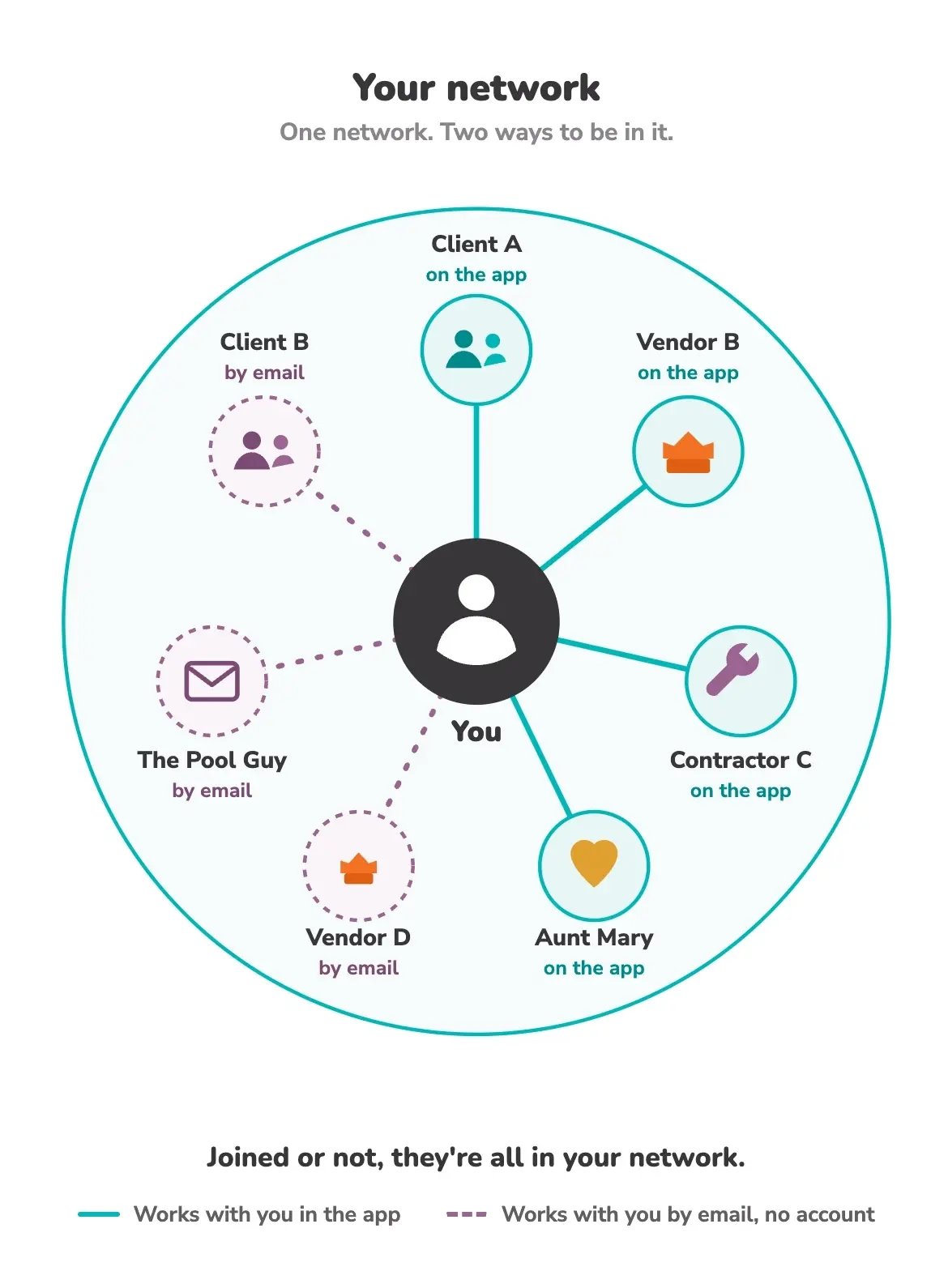
Everywhere else, you're either the owner or a guest. Here, everyone belongs.
Every other tool is one company's workspace. The company that owns it is home; everyone else is a guest with a limited pass. Want to work together? You both have to be inside the same company's walls.
LifeStarr is one open network, and everyone stands on their own ground in it. Get the app free and it's yours, not a guest seat in someone else's account. From there you work with anyone, in any company, on either side of the relationship.
And anyone who'd rather not sign up? They're still in. They take part by email, from their own inbox, no account needed. Joining gets you more. Not joining never leaves you out.
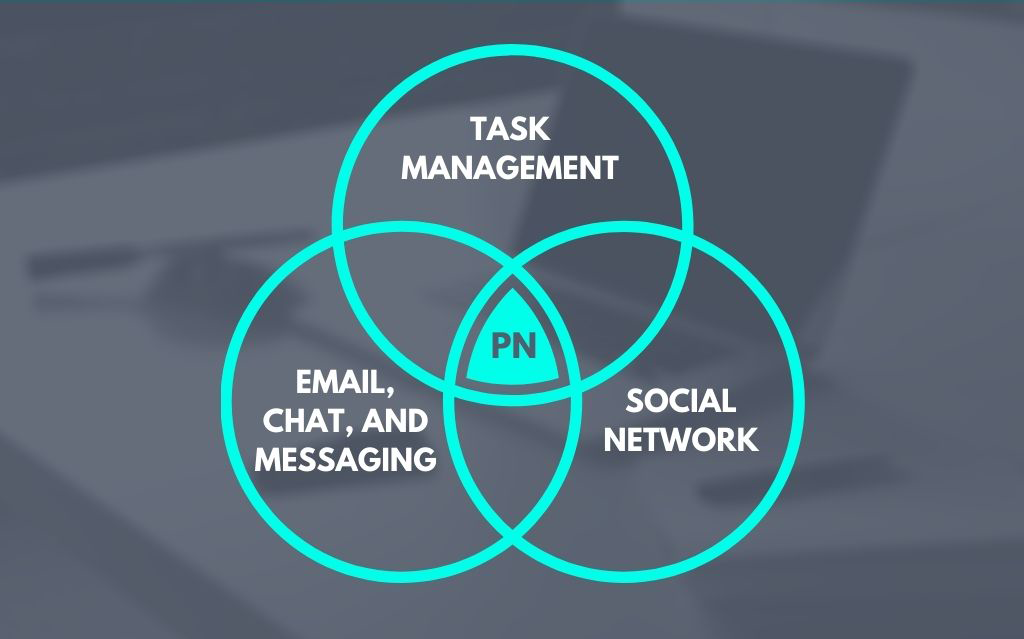
We call it a Productivity Network.
The Accountability Gap
Most tools focus on commitments made to yourself or other team members.
My To-Dos
What you've committed to others. Every task manager does this half well enough.
LifeStarr tracks every commitment made to you by anyone, even by people who never sign in.
Waiting For
What others have committed to you, tracked just as carefully as your own work, without them needing to join your account or even use the app.
Every commitment has one Assignor and one Assignee, so it's always clear who owns the next move, and nothing floats between you.
Non-User Participation
Your client/vendor/contractor probably won’t sign up for another app.
Good! They don’t have to.
Assign a task to anyone with an email address. Your contractor, your bookkeeper, the client who owes you sign-off. They get a plain email with three buttons: yes I can help, ask a question, or I can’t help with this. Or they can just hit reply, which works exactly the same way.
That’s the whole process. Send them an email, they have three buttons to choose from, no password.
And then they stay with you the whole way through. When the start date arrives, they hear about it. When you change the task, they get the current version. When you add a file, it lands in their inbox as an attachment. When you replace it, the new version shows up with a note to swap the old one out. When the due date lands, they get a heads up. When something runs past due, they get a friendly nudge asking where things stand, so you’re not the one doing the chasing.
When you approve their work, they get the sign-off. Fourteen different moments, all handled by email, all showing up in your Waiting For as they happen.
They never make an account. They never learn your system. They never see anything except the one task you sent them.
And if they want more, that’s free too. Every email offers them their own LifeStarr account, with the work they’ve already done here waiting for them. Then they get to see what they’re owed, same as you.
Jun 4, 2026
Jun 11, 2026
This is the actual email your contractor receives.
Emails that will carry a non-user through the whole commitment.
When it starts
While it is in flight
Coming due, and done
See it in action
From a cluttered inbox to a closed loop.
Here's the actual app, one step at a time, the day-to-day engine of a life-first business. Click any clip to play it.
01 The Problem
Is your inbox a nightmare, and are the chat apps making it worse?
The inbox never ends. The messages never stop. And that thing someone promised you last month is buried in there somewhere. This is how work slips.
02 Better Email
Turn the right emails into commitments.
Focus on the emails from your network, the people you actually work with. Associate any one of them with a task, and the commitment lives right there, the whole thread with it. Keep using your own email client too.
03 Tasks Hold Commitments
Every commitment lives in one task.
Name the task, set a due date, even a start date if it's for later. Roles and Tags keep everything organized, and you can add Collaborators when a task needs more hands. Then the emails, the files, and your private notes all sit inside the task, right where you need them.
04 My To-Dos
Every to-do in your life, on one list.
See all your commitments in one place, or filter by Role and Tag to zero in on what matters right now. Everything you need is in the task. Nothing scattered, nothing forgotten.
05 Waiting For
What others are doing for you, finally visible.
Here's the Accountability Gap: the commitments other people made to you that nothing else tracks, so they slip through the cracks. Waiting For closes it. Assign a task to anyone, then watch its status as they work, every detail right there in the task. The gap, closed.
06 Non-User Participation
Assign a task to anyone. No account required.
Track a commitment from anyone by assigning them a task, even if they've never heard of LifeStarr. They get a plain email, and right from it they can agree to help, ask a question, or decline. From there, emails carry them through the whole task, including file attachments and a nudge when something runs past due. No signup, and it's free on every tier.
07 Projects
Break a task into steps and it becomes a Project, automatically.
Some things are too big for a single task. Add sub-tasks and the task becomes a project on its own, with sub-tasks that can have their own sub-tasks, as simple or as detailed as you need. See a project's status at a glance, then drill down to isolate what's stuck, across every project in your life.
08 Notifications
A news feed for your commitments. On your schedule.
Most tools interrupt you by default. LifeStarr collects it all in one place, a feed you work through when you're ready. See who messaged, what changed, what's due, and what's late. One click takes you straight to the task. Keep track of everything, and get interrupted by nothing.
09 Close the Loop
Done means done, and you decide when.
When the assignee marks a task complete, you get notified, and you decide whether it's truly finished. Approve it, or send it back. Once you approve, the task and all its emails are archived, off your plate and on the record. You stay in control of your work.
The comparison
How is LifeStarr different?
| LifeStarr | Team project tools | Notes & docs tools | |
|---|---|---|---|
| Who it works with | Anyone, even non-users | Your team, plus guests in your account | You |
| Tracks what you've committed to | Yes | Yes | Sort of |
| Tracks what others committed to you (Waiting For) | Yes | Only inside your account | No |
| Non-users can be assigned a commitment (by email) | Yes | Guests only | No |
| Non-users can accept, decline, or ask a question | Yes | No | No |
| Non-users get task files as email attachments | Yes | No | No |
| Non-users get automatic Task Due and Past-Due nudges | Yes | No | No |
| Non-user progress shows in your Waiting For list | Yes | No | No |
| Cost to the non-user | Free, no signup | A guest seat or a ratio | n/a |
| The unit of work | The commitment | The project or ticket | The note or page |
A different category, built for the solopreneur. It's the Commitment Control System for running a life-first business.
The app, free forever, plus LifeStarr Academy.
No credit card
- The app to track commitments: My To-Dos, Waiting For, and Projects
- Work with anyone by email, no signup for them (unless they want it)
- 1 email address, 25MB max file size
- The Solopreneur Community
- The free Academy for solo businesses
- The Life-First Business Masterclass
Free forever. No card.
The full Commitment Control System.
or $150/yr · save $30
- Everything in Intro
- Up to 4 email addresses
- Project Templates
- Recurring Tasks
- Advanced Task List Views
- MCP Server (coming soon)
- Advanced AI features (coming soon)
The whole life-first system, all in.
Founding price · Annual
- Everything in Pro
- The Life-First business Method
- 24/7/365 StarrAI coaching
- Joe and Carly Office Hours
- Premier Workshops
- A copy of Solopreneur Business for Dummies
- The full Academy and community
Two-month money-back guarantee.
Beyond the app
The app runs the day-to-day. The Method runs the business.
The app is how you run a life-first business day to day. Intro and Premier add the Academy, the community, and coaching that teach you to design, build, and evolve the whole thing.
Start free with Intro, or go all in with Premier.
FAQ
Questions solopreneurs ask
Do I need to follow the whole Method to use the app?
Do my clients need a LifeStarr account?
Is this a task manager?
I already have my tools. Does this replace them?
Are notifications real-time?
What is the Pro and Premier guarantee?
Run your business
so it serves your life,
not the other way around.
See both sides of every commitment in one place, and let the business fit your life. Get the app free today.
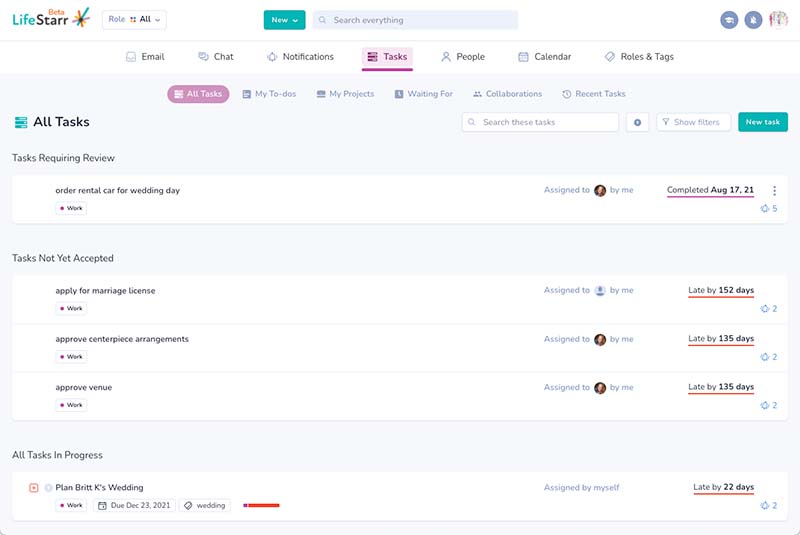

Manage All the
Tasks in Your Life.
Work, home, family, the LifeStarr App lets you keep it all one place but separate.

Take Control
of Email.
LifeStarr puts emails in the Task they belong to - AUTOMATICALLY!

Work. With.
Anyone.
And we mean anyone. Even people that don't use the app.